Entering the vibrant space of VR camming can feel like exploring a completely new digital frontier. Getting Started in VR Camming: Essential Equipment and Software serves as your map for this exciting venture. Whether you are an established cam performer adding a new dimension or someone completely new curious about the possibilities, this guide clarifies the necessary steps.
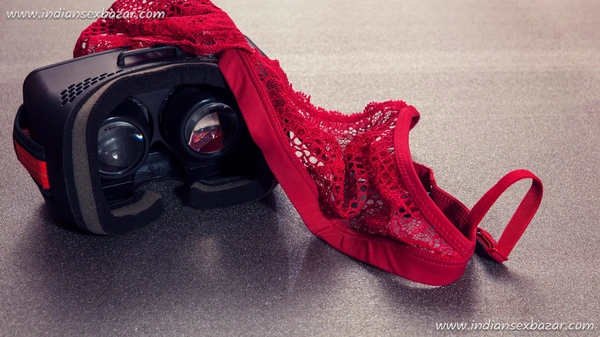
VR camming elevates adult entertainment by offering viewers truly immersive experiences. Achieving this requires the right combination of hardware, software, and understanding. This guide details the core components needed to begin your VR camming journey successfully.
Let’s look at the essential equipment and software that will help you start VR camming effectively.
The VR Headset: Your Gateway to Virtual Reality
A quality VR headset is the cornerstone of your setup. It’s how your audience connects with your virtual presence, so selecting a suitable one is important. Consider comfort for long sessions, visual clarity, and tracking accuracy.
Here are some leading options currently available:
- Meta Quest 2 (formerly Oculus Quest 2): A popular standalone headset offering a great balance of performance and price, without needing a constant PC connection for some functions.
- HTC Vive Pro 2: A premium choice known for its high resolution, wide field of view, and comfortable design, ideal for professional use.
- HP Reverb G2: Praised for its sharp visuals and integrated spatial audio, providing excellent visual fidelity.
- Valve Index: Another high-end option favoured for its high refresh rate, wide field of view, and innovative finger-tracking controllers.
Each headset presents different advantages and disadvantages regarding resolution, field of view, tracking method (inside-out vs. base station), comfort, and cost. Research which device aligns best with your budget and technical requirements. Crucially, verify its compatibility with your chosen VR camming platforms and software before purchasing.
Consider factors like interpupillary distance (IPD) adjustment for visual comfort and whether the headset supports prescription lens inserts if needed. Weight distribution can also impact comfort during extended streaming sessions. Checking reviews specifically from VR streamers or performers can provide practical insights.
Cameras: Capturing Your Virtual Self
To animate your virtual persona convincingly, you need cameras or sensors to track your movements. The level of tracking sophistication directly impacts how lifelike your avatar appears. Different methods offer varying degrees of immersion.
Options include:
- Webcams: A basic starting point, often used with software for facial expression tracking (like VSeeFace or FaceRig). Quality matters for accurate expression capture.
- Depth-sensing cameras: Devices like the discontinued Microsoft Azure Kinect or Orbbec Astra provide more detailed skeletal tracking data for improved body movement representation.
- Full-body tracking (FBT) systems: This offers the most realistic avatar animation by tracking limbs and torso. Common FBT solutions involve attaching Vive Trackers or similar devices (like Tundra Trackers or SlimeVR) to your body, requiring external base stations for tracking.
A high-resolution webcam, such as the Logitech Brio or Razer Kiyo Pro, is recommended even if using other tracking methods, as facial expressions add significantly to audience engagement. Full-body tracking represents a larger investment and adds complexity to the technical setup but delivers the most compelling results for many viewers. Think about the type of performance you want to give; FBT is essential for dancing or highly physical interactions.
Getting Started in VR Camming: Essential Equipment and Software – The Computer
Your computer acts as the central hub, processing VR data, running tracking software, encoding the video stream, and handling the camming platform simultaneously. This demands significant processing power. A capable PC prevents lag, stuttering, and poor stream quality, which can frustrate viewers.
Aim for specifications similar to these:
- CPU: An Intel Core i7/i9 or AMD Ryzen 7/9 (recent generation) is necessary to handle the multiple demanding tasks smoothly.
- GPU: A powerful graphics card like an NVIDIA GeForce RTX 3070, RTX 4070, or AMD Radeon RX 6800 XT or better is vital for rendering complex VR scenes and encoding the stream efficiently.
- RAM: 16GB is the absolute minimum, but 32GB is strongly recommended for multitasking without performance bottlenecks.
- Storage: A fast NVMe SSD significantly improves loading times for VR applications, operating systems, and software, leading to a smoother experience.
- Motherboard & Power Supply: Don’t overlook these; a stable motherboard with good power delivery (VRMs) and a reliable power supply unit (PSU) with sufficient wattage are critical for system stability during long, demanding sessions.
If you’re building a PC, websites like PCPartPicker can help check component compatibility. Remember that minimum specs might run basic setups, but exceeding recommended specs provides headroom for future software updates, more complex avatars, or higher stream quality settings. Adequate cooling (air or liquid) is also essential to prevent performance throttling under load.
Lighting: Set the Mood
Effective lighting enhances your stream’s professionalism and helps tracking cameras function correctly, especially webcams relying on visual light. Good lighting makes your physical space look better if visible and can improve facial tracking accuracy. It also influences the mood of your stream.
Consider these lighting options:
- Ring lights: Provide soft, even illumination for your face, minimising shadows. Ideal as a key light.
- LED panels (Key lights/Fill lights): Offer adjustable brightness and colour temperature, providing flexibility for different scenes and moods. Using multiple panels allows for techniques like three-point lighting (key, fill, backlight) for a more dimensional look.
- Smart bulbs/LED strips: Useful for background lighting (RGB options allow dynamic colour changes) to add atmosphere or match your virtual environment.
Products like the Elgato Key Light or Key Light Air are popular due to their app control and integration possibilities. However, more budget-friendly options from brands like Neewer also work well. Experiment with light placement to achieve the desired effect and avoid harsh shadows or reflections, especially if you wear glasses.
Audio Setup: Sound Like a Pro
Clear, high-quality audio is vital for audience engagement and connection. Poor audio with background noise, echo, or low volume can quickly drive viewers away. Investing in a decent microphone and considering room acoustics is worthwhile.
Here’s a basic audio setup:
- Microphone: A USB condenser microphone like the Blue Yeti, Rode NT-USB+, or Elgato Wave:3 offers good quality and ease of use. For potentially better quality or flexibility, an XLR microphone (like the Shure SM7B or Rode Procaster) combined with an audio interface (like a Focusrite Scarlett or GoXLR) is a popular step up.
- Headphones: Closed-back headphones are needed for monitoring your own audio without it bleeding into the microphone.
- Pop Filter/Windscreen: Essential for reducing plosive sounds (like ‘p’ and ‘b’) hitting the microphone.
- Mic Stand/Boom Arm: Allows proper microphone positioning close to your mouth and helps isolate it from desk vibrations.
Don’t neglect room acoustics. Hard surfaces like bare walls and floors cause echo and reverb. Adding soft furnishings, rugs, curtains, or dedicated acoustic foam panels can significantly improve sound quality by absorbing reflections. Clear communication helps build rapport with your audience.
VR Camming Platforms: Where the Magic Happens
Choosing the right platform is crucial for reaching your audience and managing your streams. Different platforms cater to various niches and have specific features, rules, and payout systems related to VR content creation. Research is key to finding the best home for your virtual persona.
Some established platforms supporting VR camming include:
- CAM4VR: Specifically focused on VR camming experiences.
- StripChat: A major platform offering dedicated VR categories alongside traditional camming.
- SexLikeReal (SLR): Primarily known for VR video content but also expanding into live interactive features.
- Chatterbate: While primarily 2D, some performers integrate VR elements or stream through compatible software.
Evaluate platforms based on their VR feature set (e.g., support for specific headsets, tracking, interactive features), user base demographics, monetisation strategies (token rates, payout methods and frequency), rules regarding content, and community support. Read their terms of service thoroughly, paying attention to clauses about VR content and payment processing. Some platforms offer better audience engagement tools than others.
Streaming Software: Bringing It All Together
Broadcasting software combines your video feeds (VR view, webcam), audio sources, overlays, alerts, and avatar animations into a single stream sent to your chosen platform. Mastering this software is central to your technical setup.
Popular choices include:
- OBS Studio: Free, open-source, highly customisable, and powerful. It has a steeper learning curve but offers maximum flexibility. Widely supported with plugins.
- XSplit Broadcaster: A premium option known for its user-friendly interface and good support. Offers both free and paid tiers with varying features.
- Streamlabs Desktop (formerly Streamlabs OBS): Built upon OBS, offering a simplified interface, integrated themes, alerts, and widgets, making it popular for beginners.
These programs allow you to create different ‘scenes’ (e.g., a main VR scene, a ‘be right back’ screen, a facecam-only scene) and switch between them. You’ll configure sources for your game capture (the VR view), webcam, microphone, alerts (tips, follows), and potentially your motion capture software feed. Performance optimisation within the streaming software (bitrate, resolution, encoder settings) is vital for a stable stream.
Avatar Creation Software: Your Virtual Self
Your avatar is your digital representation, your virtual persona in the VR space. Unless using advanced 3D scanning, you’ll need software to create or customise an avatar that resonates with you and appeals to your target audience. Avatar choice impacts performance and audience perception.
Consider these software options:
- VRoid Studio: A free, intuitive application ideal for creating anime-style 3D avatars. Offers good customisation options for hair, clothing, and features. Exports in the common VRM format.
- Character Creator (Reallusion): A powerful, paid software for creating more realistic human characters with extensive customisation, morphs, and clothing physics. Steeper learning curve but high-quality results.
- Daz 3D / Daz Studio: Offers a vast library of 3D models, assets, clothing, and environments (many free, many paid). Can be used to create and render characters, though optimisation for real-time VR performance might require extra steps.
- Ready Player Me: A web-based service for quickly creating stylised avatars compatible with many VR platforms.
Spend time crafting an avatar that you feel comfortable embodying. Consider the style (anime, semi-realistic, realistic), customisation possibilities, and, importantly, its performance impact. Highly complex avatars with excessive polygons or physics calculations can strain your PC. Ensure the avatar format is compatible with your chosen motion capture and streaming setup.
Motion Capture Software: Bringing Your Avatar to Life
Motion capture (mocap) software bridges the gap between your physical movements and your avatar’s actions in the virtual world. It takes data from your tracking hardware (headset, controllers, trackers, camera) and applies it to your avatar’s digital skeleton in real-time. The quality of this translation greatly affects the sense of presence.
Software options often depend on your hardware:
- SteamVR: The underlying platform for many PC VR setups, handling tracking data from compatible hardware like Index controllers and Vive Trackers.
- Software integrated with FBT hardware: Systems like SlimeVR often come with their own software or plugins for calibration and data streaming.
- Facial Tracking Software: VSeeFace (free, webcam-based), FaceRig/Animaze (webcam or iPhone), iFacialMocap (iPhone) capture expressions and lip sync.
- Full Performance Capture Suites: Software like iClone Motion Live (Reallusion) can aggregate data from various sources (body, face, hands) for comprehensive animation control, often used with Character Creator avatars.
- Rokoko Studio: Supports Rokoko’s own mocap suits (Smartsuit Pro) but can also integrate with other hardware, offering advanced recording and streaming features.
The specific software depends heavily on your chosen tracking method (webcam facial tracking, controller-based hand tracking, full-body trackers). Calibration is often required for accurate results. Ensure compatibility between your avatar format (e.g., VRM, FBX), your mocap software, and your streaming application.
Payment Processing: Getting Paid
Secure and reliable payment processing is essential for monetisation strategies. While most camming platforms handle payments from viewers (usually via tokens) and pay performers periodically, understanding the process and having potential backup options is wise. The adult industry faces specific challenges with traditional financial institutions.
Common considerations include:
- Platform Payouts: Understand the platform’s payout schedule, minimum thresholds, payout methods offered (bank transfer, check, specific processors), and associated fees.
- Specialised Processors: Services like Paxum or CosmoPayment are commonly used in the adult industry as they are more accustomed to its business model compared to mainstream options.
- Cryptocurrency: Offers a degree of anonymity and lower transaction fees, becoming an increasingly popular option for both payments and payouts. Requires understanding wallets and exchanges.
- Direct Payment Platforms (Use with Caution): Services like PayPal, Stripe, or CashApp often have strict policies against adult content and services. Using them directly can risk account suspension and loss of funds. Check terms of service meticulously.
Prioritise privacy considerations when setting up payment methods. Keep meticulous records for tax purposes. Understanding the financial side is a key part of running your VR camming activities professionally.
Privacy and Safety Considerations
Working online, especially in adult entertainment, requires careful attention to privacy and safety. Establishing boundaries and using tools to protect your identity is crucial. Think about how much personal information you reveal through your background, voice, or interactions.
Key safety points include:
- Digital Footprint: Be mindful of what information is visible online associated with your performer persona versus your private life. Use separate accounts and avoid linking them.
- Location Obscurity: Avoid showing identifiable landmarks or details about your location in your physical background. Use virtual backgrounds or a dedicated, neutral streaming space. Consider using a VPN for added network security, though it might impact streaming performance.
- Data Security: Use strong, unique passwords for all accounts (platforms, software, payment processors). Enable two-factor authentication wherever possible.
- Platform Moderation: Utilise the blocking and reporting tools provided by the camming platform to handle disruptive or abusive users.
- Information Sharing: Be cautious about sharing personal details with viewers, even those who seem friendly or trustworthy. Maintain professional boundaries.
Taking proactive steps towards privacy helps maintain control over your personal information and contributes to a safer working environment. Community building is important, but safety comes first.
Performance Optimisation Tips
Achieving a smooth, high-quality VR cam stream requires balancing visual fidelity, VR performance, and streaming stability. Performance optimisation involves tweaking settings across your hardware, operating system, VR software, tracking software, and streaming application. A laggy or low-quality stream can deter viewers.
Focus on these areas:
- PC Optimisation: Close unnecessary background applications. Keep graphics drivers updated. Adjust Windows power settings for maximum performance.
- VR Settings: Lowering in-application graphics settings (resolution scaling, anti-aliasing, effects) within the VR environment itself can free up significant GPU resources. Adjust SteamVR resolution settings carefully.
- Avatar Complexity: High-polygon avatars with complex physics or numerous accessories demand more processing power. Optimise your avatar or choose a less demanding one if experiencing performance issues.
- Streaming Software Settings: Encoder choice (NVENC on NVIDIA GPUs is usually preferred), bitrate (balance quality vs. upload speed), resolution, and frame rate impact performance and stream quality. Experiment to find the best balance for your specific PC and internet connection.
- Tracking Accuracy: Ensure your tracking space is well-lit (for camera-based tracking) or free from reflective surfaces (for base station tracking). Poor tracking can look jittery and unprofessional.
Regularly monitor your PC’s performance (CPU/GPU usage, temperature, RAM usage) while streaming using tools like Task Manager or MSI Afterburner. This helps identify bottlenecks. Incremental adjustments and testing are key to finding the optimal setup for your specific equipment and content creation goals.
Conclusion
Getting Started in VR Camming: Essential Equipment and Software involves assembling several key components, from headsets and cameras to a capable PC and specialised software. It might appear complex initially, but you can begin with a foundational setup and gradually upgrade as you gain experience and income. Focus on creating engaging immersive experiences for your audience.
Remember that authenticity often resonates most with viewers, so have fun and let your personality shine through your virtual persona. The technology surrounding VR is constantly improving, offering new interactive features and possibilities for content creation. Staying curious and adaptable is beneficial.
With the appropriate tools, software knowledge, attention to performance optimisation, and a focus on audience engagement and safety, you can successfully establish yourself in the exciting area of VR camming. Your audience is ready for the unique connection that virtual reality can offer.